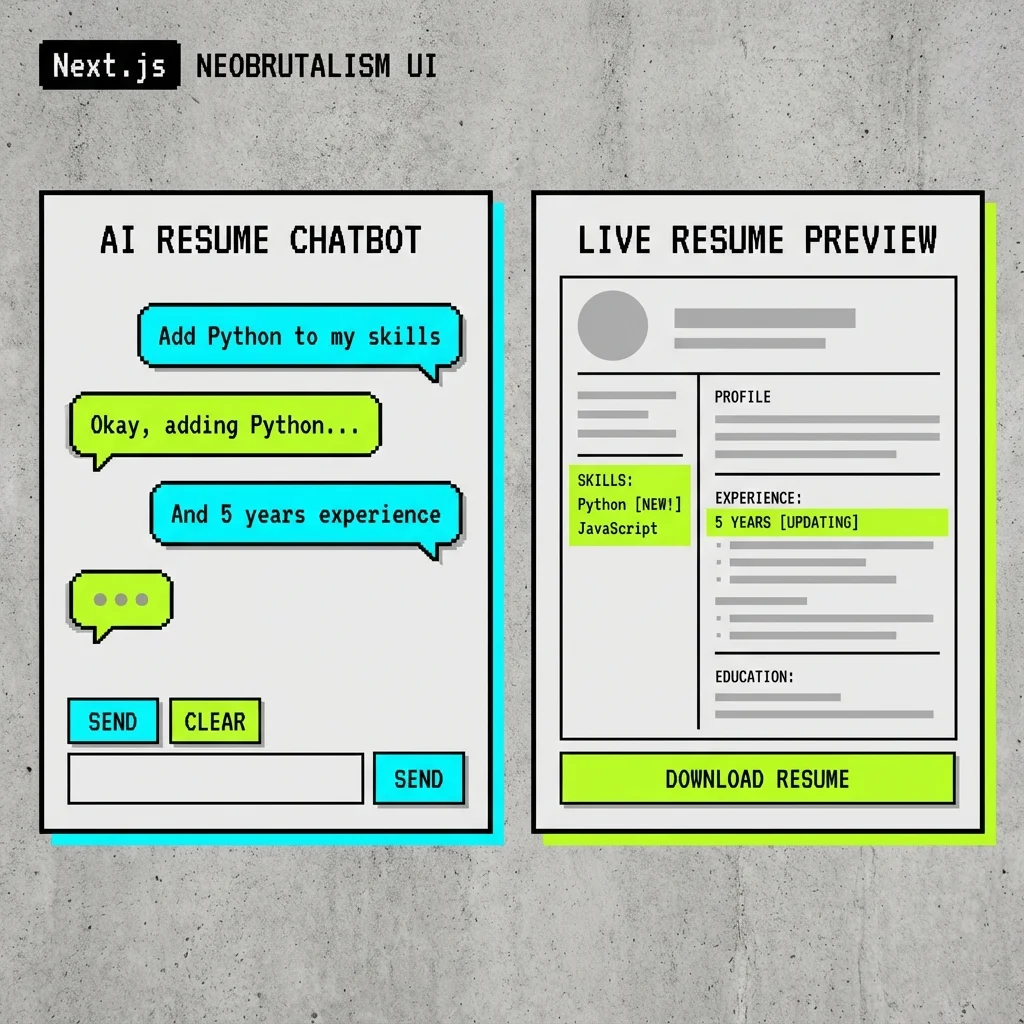
AI-Powered Resume Builder with Real-Time Streaming
REAL-TIME COLLABORATIVE EDITING WITH AI-POWERD RESUME OPTIMIZATION.
AI-Powered Resume Builder with Real-Time Streaming
THE CHALLENGE: When AI document editing goes off the rails
You’re in a conversation with your resume.
You type: “Add Python to my skills and tighten up that Backend Engineer summary to highlight the API work.” You expect surgical precision-a new skill entry here, a rewritten paragraph there, everything else untouched.
But that’s not how AI-driven document editing usually works.
Without structure, the same request might rewrite your entire skills section, drop half your job history, or generate a summary that sounds nothing like you. Worse, agents often read only portions of the document and make assumptions about the rest. As patches accumulate on top of incorrect assumptions, errors compound. The problem isn’t the AI’s intent-it’s the lack of constraints.
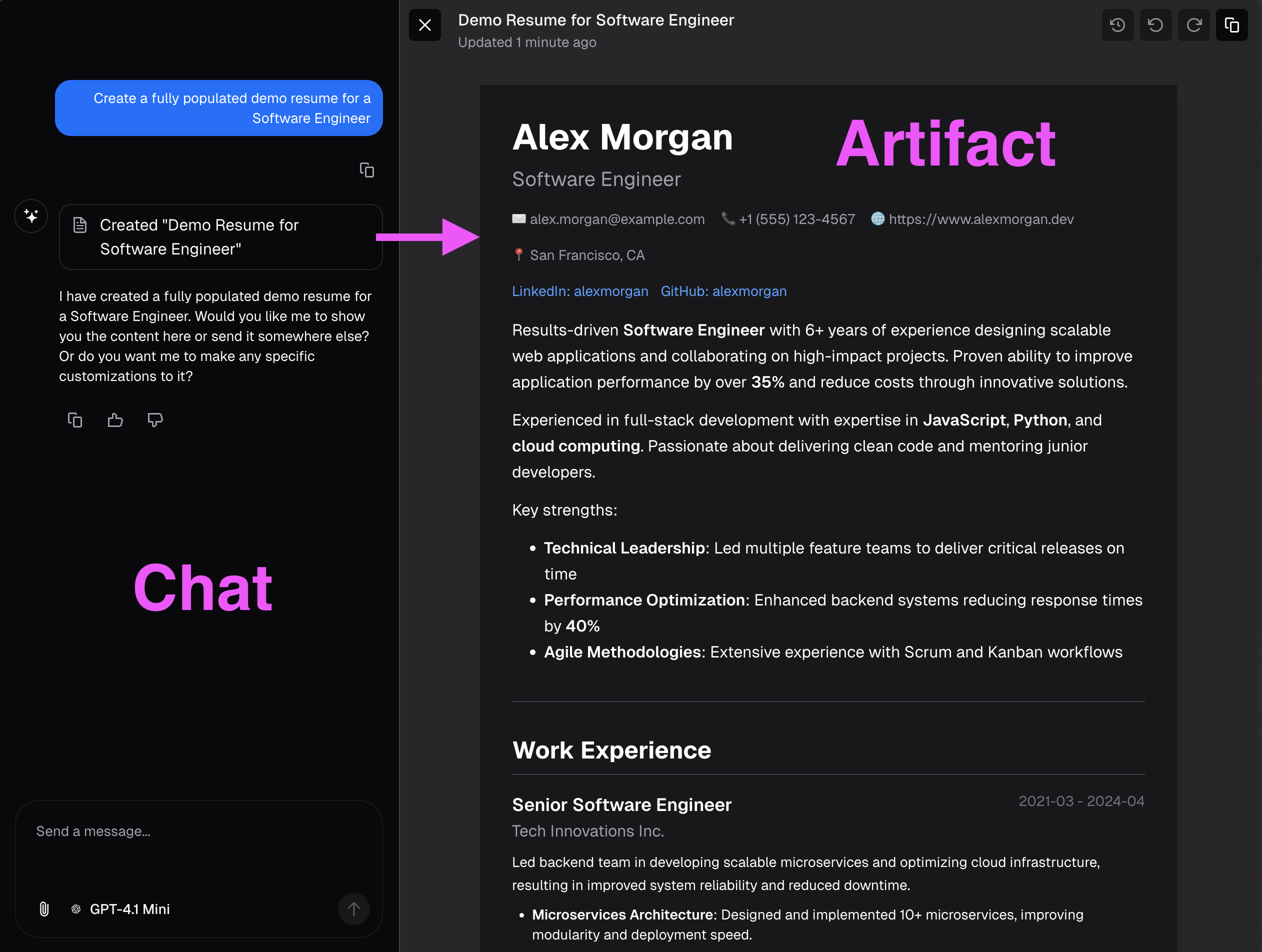
Interface orientation - left: chat pane (where you type requests and see conversational feedback); right: artifact pane (structured resume view that updates as patches are applied). Chat intent drives artifact updates in real time.
REAL-TIME COLLABORATION: Three core requirements
A Schema
Every resume field follows a predictable structure-skills, experience, projects-so the UI renders consistently no matter who edits what
Live Feedback
Changes appear as they happen. No waiting, no wondering if your edit landed, no surprises when the response finally arrives
Surgical Updates
Modifications target exactly what you specify without touching adjacent content-whether the AI makes them or you do
Core challenges with AI-driven document edits:
- Partial context windows-Edits apply to a slice and drop linked context, even when the user expects global context to be preserved
- Ambiguous match targets-Similar text blocks cause the wrong node to be rewritten instead of the exact entry selected by the user
- Patch sequencing drift-Multiple edits that should apply cleanly instead cause newline boundaries to shift and list formatting to degrade
- Unstable insertion behavior-Partial output causes jumps, placeholders, and visual jitter instead of smooth text appearance
- Rich-format constraints-Markdown-first edits break typed structures downstream, even when fields should stay validated and schema-safe
These failure modes compound when multiple users, models, or edits operate concurrently. Small unpredictabilities become merge conflicts, audit blind spots, and a poor UX that erodes trust.
STRUCTURED DATA: The foundation for reliable editing
The solution to unpredictable AI edits is structure. When every piece of content has a defined location and format, changes become precise and isolated.
Why structure prevents errors:
- Isolation-Each field lives at a specific path (
/skills/0/name), so edits can’t accidentally bleed into adjacent content - Validation-Schema enforcement catches malformed data before it reaches the document
- Predictability-The UI knows exactly how to render each field type, regardless of who made the change
JSON Resume serves as the data format-an open-source standard for representing resume data as structured JSON. This format provides a simple yet extensible schema that covers all essential resume sections: basics, work experience, education, skills, projects, and more.
Why JSON Resume:
- Established standard-Widely adopted schema with clear documentation and community support
- Built-in validation-JSON Schema definition enables automated validation of resume structure and data types
- Existing tooling-Ecosystem includes renderers for HTML export and PDF generation
- Extensible design-Custom properties can be added for domain-specific needs while maintaining compatibility
- Portable format-Plain JSON enables easy data migration and interoperability
In practice, the JSON Resume schema is used for data storage and validation (via Zod), but a custom renderer was built to match the application’s visual style rather than using off-the-shelf HTML themes. This provides complete control over the presentation while benefiting from the standard’s structured data model.
{ "basics": { "name": "Nick Roth", "label": "Full-Stack Developer", "phone": "(555) 123-4567", "url": "https://nickroth.com", "summary": "Backend engineer with 8+ years experience building scalable systems", "location": {109 collapsed lines
"city": "San Francisco", "countryCode": "US", "region": "California" }, "profiles": [ { "network": "LinkedIn", "username": "nickroth", "url": "https://linkedin.com/in/nickroth" }, { "network": "GitHub", "username": "rothnic", "url": "https://github.com/rothnic" } ] },
"work": [ { "name": "Acme Corp", "position": "Senior Engineer", "url": "https://acme.example", "startDate": "2022-01", "endDate": null, "summary": "Leading backend architecture for payment processing platform", "highlights": [ "Led API redesign reducing latency by 40%", "Migrated legacy monolith to microservices", "Built real-time event streaming pipeline" ] }, { "name": "TechStart Inc", "position": "Full-Stack Developer", "startDate": "2019-06", "endDate": "2021-12", "summary": "Full-stack development for SaaS analytics platform", "highlights": [ "Implemented customer-facing dashboard with React", "Optimized PostgreSQL queries reducing load times by 60%" ] } ],
"education": [ { "institution": "University of Washington", "url": "https://uw.edu", "area": "Computer Science", "studyType": "Bachelor of Science", "startDate": "2014-09", "endDate": "2018-06", "score": "3.8 GPA", "courses": ["Distributed Systems", "Machine Learning", "Algorithms"] } ],
"skills": [ { "name": "TypeScript", "level": "advanced", "keywords": ["Node.js", "React", "Next.js"] }, { "name": "Python", "level": "intermediate", "keywords": ["Django", "FastAPI", "Data Processing"] }, { "name": "Infrastructure", "level": "intermediate", "keywords": ["AWS", "Docker", "Kubernetes", "Terraform"] } ],
"projects": [ { "name": "Resume Chatbot", "description": "AI-powered resume editor with streaming JSON patches", "highlights": [ "Built with Next.js and Vercel AI SDK", "Implements RFC 6902 JSON Patch for surgical edits", "Real-time collaborative editing with SSE" ], "keywords": ["AI", "Streaming", "JSON Patch"], "startDate": "2024-11", "url": "https://github.com/rothnic/resume-chatbot" } ],
"awards": [ { "title": "Engineering Excellence Award", "date": "2023-12", "awarder": "Acme Corp", "summary": "For leading the successful platform migration" } ],
"publications": [ { "name": "Streaming Architecture Patterns", "publisher": "Tech Blog", "releaseDate": "2024-03", "url": "https://nickroth.com/blog/streaming-patterns", "summary": "Exploring real-time data patterns in modern web applications" } ]}Structured paths are unambiguous: a pointer like /skills/0/name refers to the first skill’s name. Contrastingly, asking “find JavaScript in the text” can hit many places, match partial phrases, or pick the wrong list. With JSON Pointers and RFC 6902 patches we target exact keys and array indices.
Finally, mutations are validated with a schema layer (Zod in this stack). Zod catches missing required fields, wrong types, and invalid shapes before a patch is applied, so the editor never writes malformed resume state.
But structure introduces a new challenge. Traditional structured editing feels batch-based and slow. You make a request, wait for the AI to process, and then see the complete result. This breaks the conversational flow users expect from chat interfaces. The question becomes: Can we have both the reliability of structured data and the responsiveness of streaming text?
STREAMING REALITY: Structure and real-time feedback
When building AI-powered interfaces, not all streaming is the same. Each stream type has different reliability characteristics and UX implications-and this creates a fundamental tension.
Text Streams
Human-facing response text for conversational flow. Great for chat, but problematic for structured edits at scale. A large sequence of edits often results in accidentally overwriting information or duplicating headings-especially as the context grows for the primary agent.
Text streams also limit the ability to provide rich, custom rendering. A spreadsheet rendered as Markdown is difficult to edit precisely. An agent can’t practically make small edits to a Markdown table cell without regenerating the entire table.
Yet text streaming has one clear advantage: you can follow along as the agent works. You see the edits happening in real-time, like watching a human collaborator type.
How to combine rich custom rendering with streaming edits? The goal is to watch the agent work in real-time, like a human collaborator typing, but structured components-tables, code blocks, resumes-are also needed that plain text can’t provide.
Object/Tool-Call Streams
Machine-facing structured outputs for deterministic actions. Frameworks like the Vercel AI SDK support streamObject, which can stream structured tool calls incrementally.
{ "tool": "addSkill", "arguments": { "name": "Python", "level": "intermediate" }}The challenge: tools like addSkill are schema-specific. Each field pattern needs its own tool definition, so the approach doesn’t transfer to other document types. A spreadsheet editor would need entirely different tools (addColumn, updateCell), and a code editor would need yet another set. This fragments prompting strategies and prevents reuse across domains.
Even with streaming, the user still waits for each complete tool call before seeing updates-and the complexity of managing dozens of field-specific tools grows quickly.
The Fundamental Tension
We need structure for reliability, but we want streaming for UX. Traditional approaches force a choice:
- Text streaming = great UX, no structure
- Full object streaming = great structure, poor UX (wait for everything)
The gap: Can we stream structured updates? To answer that, we need to understand how LLM streaming actually works under the hood.
HOW STREAMING WORKS: From tokens to structured objects
Quick summary
- Text streaming is immediate and human-friendly, but free-form.
- JSON streaming is structured and safe, but partial tokens can be invalid until they stabilize.
- Two practical shapes let you act earlier: array-of-ops and partial-object streaming.
1: Text streaming, the familiar case
User: "Tighten my summary to highlight API work."AI stream: "Sure. I'll update your summary to focus on API design, reliability, and performance."// UI receives: "S", "Su", "Sur", ...Why it’s easy: tokens are plain text so the UI can append them immediately. No parsing, no schema checks.
2: Why JSON streaming is harder
- Tokens still arrive incrementally, but partial JSON can be syntactically invalid or misleading.
- The client must decide when a streamed JSON fragment is “complete enough” to apply.
Example (danger of applying too early):
// Token stream: "{", " \"op\": ", "\"repl", "ace\"", ...// Intermediate parse could produce an invalid or truncated object if abused3: Two schema shapes that let you act earlier
- Array-of-ops: stream an array where each element is a full RFC 6902 operation. Apply each element as it parses.
[ { "op": "replace", "path": "/summary", "value": "..." }, { "op": "add", "path": "/skills/-", "value": { "name": "Python" } }]- Partial-object strategy: stream objects that may evolve. Gate on minimal fields (op + complete pointer + value started) and show progressive previews until the value stabilizes.
{ "op": "replace", "path": "/skills/2/name" }{ "op": "replace", "path": "/skills/2/name", "value": "Py" }{ "op": "replace", "path": "/skills/2/name", "value": "Python" }When to use each
- Use array-of-ops when you can emit independent, self-contained operations and want deterministic apply points.
- Use partial-object streaming when you need live, typing-like previews for nested text fields without waiting for entire objects.
4: Practical gating rules (minimum “complete enough”)
- op exists and is one of: add, replace, remove
- path is a syntactically complete JSON Pointer
- if op requires a value, the value has at least started streaming (non-null)
Compact stabilizer pseudocode
for await (const partial of result.partialObjectStream) { if (!isValidOp(partial)) continue if (requiresValue(partial.op) && !hasStartedValue(partial)) continue if (!isCompletePointer(partial.path)) continue applyPatch(document, partial)}UI guidance for nested text fields
- Render a typing preview for streaming strings instead of committing final state immediately.
- Treat array insertions (“/skills/-”) as safe once the nested object’s keys are present enough to render.
- Debounce short bursts (100-300ms) and require a token-change threshold to avoid jitter.
When can I use this pattern? (gating checklist)
- Small, path-scoped edits where operations target explicit JSON Pointers.
- Interfaces that need live previews, not immediate final commits, for long string fields.
- Systems that accept RFC 6902 operations and can validate/rollback patches.
Benefits of partial-object stabilization
- Immediate, path-accurate feedback in the UI.
- Avoids full-document replacement.
- Keeps nested text readable with progressive previews until stabilization.
Related documentation:
- LangChain.js documentation
- Mastra agents and streaming
- Vercel AI SDK streamObject
- BAML streaming and partial parsing
Now that we understand how partial streaming works mechanically, let’s evaluate the different approaches for building reliable document editing on top of it.
EVALUATING OPTIONS: Three approaches to structured edits
Given the problem and the streaming options available, three approaches were evaluated for implementing AI-driven document edits.
Option A: Schema-Specific Tool Surface
Create many discrete tools like addWorkItem, replaceSummary, updateSkill, each with custom inputs tailored to the resume schema.
Pros:
- Easy to reason about for one narrow schema
- Type-safe by design
Cons:
- Tool count grows with every new field pattern
- Streaming contracts fragment across tools
- Cross-document reuse collapses-each new document type needs its own complete tool suite
Option B: Full-Object Structured Generation
Stream or generate one complete typed object and replace the entire document state after validation.
Pros:
- Clean contract for final state
- Strong schema guardrails
Cons:
- Poor incremental UX for large artifacts
- Small edits (like adding one skill) wait for the entire object to generate and validate
Option C: Streaming JSON Patch (Chosen)
Emit RFC 6902 operations (add, replace, remove, move, copy, test) against stable JSON pointers. Treat the resume as typed JSON, not a text blob. Every mutation is one explicit operation against one explicit path.
Pros:
- Low-latency, path-scoped updates with deterministic apply semantics
- One mutation model works across nested objects, arrays, and other structured documents
- Enables true incremental rendering-users see changes as they arrive
Core principles:
- Immutable structure: the document schema stays stable while values change.
- Atomic operations: apply
add,replace,remove,move,copy, andtestfrom RFC 6902. - Deterministic result: no broad regeneration, no accidental section rewrites.
{ "op": "replace", "path": "/skills/2/name", "value": "React"}Why JSON Patch wins:
Unlike schema-specific tools, RFC 6902 operations are universal. The same add, replace, and remove verbs work for resumes, spreadsheets, code files, or any JSON document. This means:
- Reusable prompting-The same instructions work across document types
- Simpler mental model-Six operations cover all mutations
- Standard tooling-Existing libraries for validation, testing, and diffing
- Auditable history-Every change is an explicit, reversible operation
THE SOLUTION: Streaming JSON Patch with partial-object stabilization
This implementation uses Option C-streaming JSON Patch with partial-object streams-because it uniquely combines the responsiveness of streaming with the precision of structured operations.
The Tool Layer: Nested Streaming Architecture
The chat agent handles intent and explanation. The patch tool handles state mutation. Inside that tool, a nested model streams patch objects.
const result = streamObject({ model, schema: patchSchema, prompt })for await (const partial of result.partialObjectStream) { const stabilized = stabilize(partial) if (!stabilized) continue applyPatch(document, [stabilized]) emitDelta(document)}Schema Architecture: Tool vs Patch Object
The streaming tool layer uses two distinct schemas working in coordination: the outer tool schema defines how the resume data is patched, while the inner patch object schema defines the structure of each individual patch operation.
Tool Schema (Outer Layer)
The patchResume tool schema defines the tool’s interface-the input it expects from the main chat agent:
// Schema for the tool call itselfconst patchResumeToolSchema = z.object({ explanation: z.string().describe('Reason for the change'), patch: z.object({ operations: z.array(patchOperationSchema) .describe('JSON Patch operations to apply') })});This outer schema stays relatively simple. It wraps the patch operations and provides metadata (explanation) for the UI to display.
Patch Object Schema (Inner Layer)
Inside the tool, each individual patch operation follows a stricter, nested schema that the AI SDK streams incrementally:
// Schema for each individual patch operationconst patchOperationSchema = z.object({ op: z.enum(['add', 'replace', 'remove']), path: z.string().describe('JSON Pointer path (RFC 6902)'), value: z.union([ z.string(), z.number(), z.boolean(), z.array(z.string()), z.object({}).passthrough(), // Nested objects for complex values z.null() ]).optional()});The key difference: the tool schema defines what the tool receives (structured data), while the patch schema defines what gets streamed (partial objects that stabilize into valid operations). The streaming layer doesn’t see the tool schema-it sees the patch operations being built token by token until they form complete, valid JSON Patch operations.
The z.union for value could be refined per-operation. For remove operations, value is unused. For add/replace, the value type depends on the target path. One could use discriminated unions keyed on op, but that increases schema complexity. Balance simplicity against precision based on validation needs.
Patch Operations: RFC 6902 Verbs
Small, explicit verbs keep state transitions inspectable and testable.
Add for Insertions
{ "op": "add", "path": "/skills/-", "value": "Python" }Replace for Corrections
{ "op": "replace", "path": "/summary", "value": "Experienced backend engineer..." }Remove for Deletions
{ "op": "remove", "path": "/work/2" }Reference: RFC 6902 JSON Patch
Partial Stabilization: Safety Before Apply
Patch values can be any valid JSON payload, not only strings. In practice, the structure is stabilized first (op + path), then value content streams as it arrives.
{ "operations": [ { "op": "replace", "path": "/skills/2/name", "value": "React" }, { "op": "replace", "path": "/basics/location", "value": { "city": "Seattle", "countryCode": "US" } }, { "op": "add", "path": "/work/1/highlights", "value": ["Reduced test runtime by 68%.", "Stabilized flaky CI checks."] } ]}If each update arrived as a full-object tool call, each object would pop in only when that object was fully emitted and validated. The patch stream starts earlier.
{ "operations": [{ "op": "replace", "path": "/skills/2/na" }]}At this point, apply is blocked: the pointer is incomplete and value is absent.
{ "operations": [{ "op": "replace", "path": "/skills/2/name", "value": "React" }]}At this point, apply can begin. The minimum gate is: complete op, complete path, and required value started/available.
for await (const partial of partialObjectStream) { const next = stabilize(partial) if (!next.op || !isCompletePointer(next.path)) continue if (requiresValue(next.op) && !hasValue(next)) continue applyPatch(document, [next])}Safety and Validation: Stabilization Layer
The UI should never render broken partial frames. The stabilizer blocks invalid fragments until they meet minimum criteria.
- Complete pointer syntax
- Zod schema validity
- Allowed mutable path
function canApply(op: PatchOp) { return isCompletePointer(op.path) && patchSchema.safeParse(op).success && allowlist.has(op.path)}Concurrency: Path-Isolated Operations
Independent paths can update in parallel without collisions.
[ { "op": "replace", "path": "/summary", "value": "..." }, { "op": "add", "path": "/skills/-", "value": "Python" }]This gives effectively O(1)-style conflict checks for unrelated paths, while history remains append-only through versioned document snapshots.
SYSTEM ARCHITECTURE: Putting it all together
Split Planning from Patch Translation
Separating intent from mutation reduces surprising edits, makes changes auditable, and keeps the mutation path deterministic.
Planner Model
- Understands natural language, extracts user intent and entities (intent: “add skill”, entity: “Python”).
- Produces a semantic change description, not concrete ops, including target pointer hints and validation cues.
- Handles ambiguity: asks clarifying questions or emits confidence/meta fields when unsure.
Translator Model
- Consumes semantic intent and resolves concrete RFC 6902 operations, array indices, and JSON Pointer paths.
- Validates paths against schema and emits guarded operations (includes “test” ops when needed).
- Ensures idempotence and produces a compact, auditable patch sequence.
Example handshake (planner tool-call payload):
{ "intent": "add_skill", "summary": "Add Python to skills", "value": { "name": "Python", "level": "intermediate" }, "target": "/skills", "confidence": 0.92 }Translator output (RFC 6902):
[ { "op": "add", "path": "/skills/2", "value": { "name": "Python", "level": "intermediate" } } ]Benefits: clearer responsibilities, flexible NLU, deterministic mutation, and a complete audit trail for reviewers.
Hybrid Interface: Editor Plus Chat Confirmation
The document pane renders structured state; the chat pane explains intent and confirms patch outcomes. This keeps UX conversational while preserving precise state transitions.
- Selection context scopes the patch target.
- Patch-apply confirmations provide immediate trust signals.
- The same operation stream powers both visual diff and persisted history.
Three Synchronized Channels
This architecture separates concerns: the Chat Stream keeps the UI responsive while the Patch Stream performs guarded, auditable mutations.
Use Case: User requests a resume update
-
User sends a message to the Conversation Agent
Example: “Add machine learning skills to my resume” -
Chat Stream responds immediately for UI feedback
The agent streams: “I’ll help you add ML skills…” while processing in parallel. -
Planner evaluates intent
DeterminesIntent: UPDATE_RESUMEand triggersTool: PATCH_STREAM -
Patch Tool starts the Patch Stream
Loads the document from the Resume Database and streams a snapshot to the Artifact UI -
Patch LLM generates RFC 6902 operations incrementally
Each partial patch streams to the UI as it stabilizes, showing live preview of changes. -
Patch Apply commits validated operations
Once patches stabilize, they’re validated and committed to the database. -
Synchronization across all channels
Updated state streams to the Artifact UI and confirmation appears in the Chat UI.
Key benefits: Low conversational latency, auditable edits via small RFC 6902 operations, and safe incremental updates with validation.
Key Principles
Collaborative Interface
User and AI work together inside explicit structure and constraints
Surgical Precision
Targeted updates apply only where intended, without full document replacement
Managed Revisions
Clear patch history makes recovery and review straightforward
DEMO: Progressive patches in action
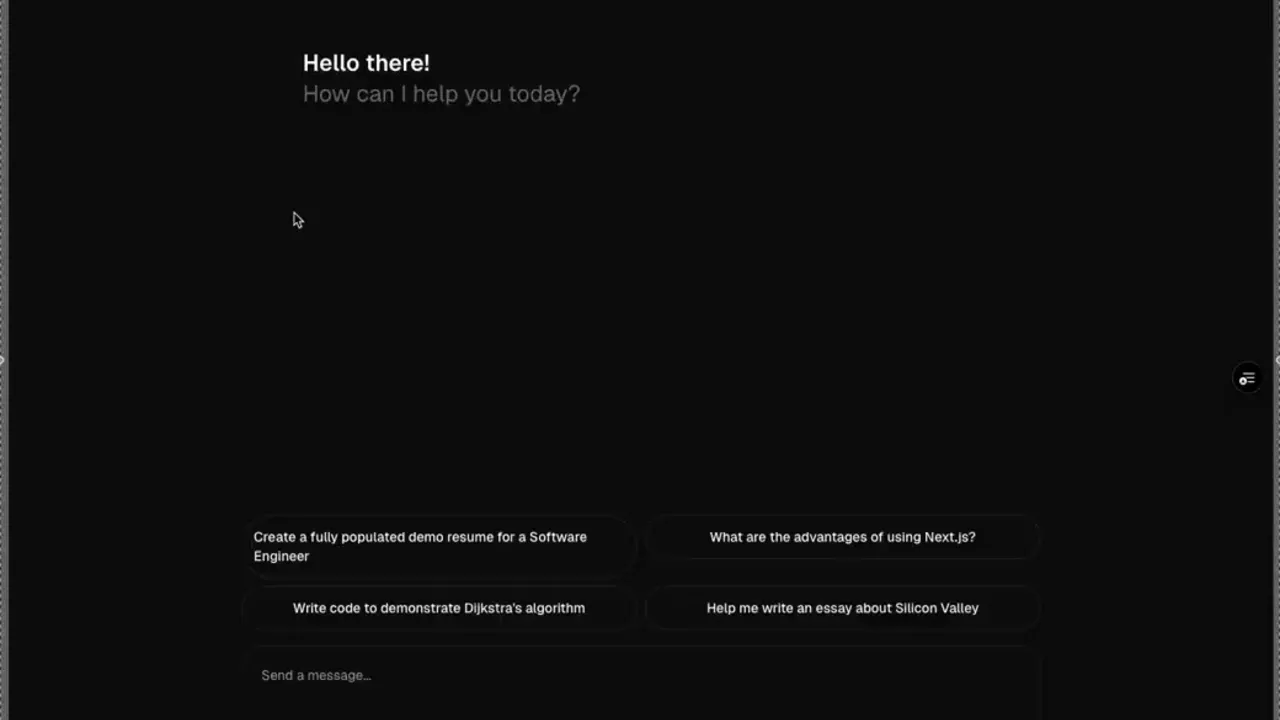
The demo shows progressive RFC 6902 patches being applied without full-document replacement. The user sees conversational feedback and artifact updates in parallel.
TESTING: Strategy and results
Testing AI-driven systems requires two complementary approaches. First, deterministic mocks test UI components’ ability to process streaming patches in a controlled environment. Second, end-to-end tests with live LLMs verify that given a user command to make a change, the agent can achieve the desired result with its prompting.
Eval frameworks like Langfuse and Evalite add framework-agnostic evaluation capabilities. These might include LLM-as-judge combined with deterministic checks-like verifying structured data exists in the resume where expected after processing a request.
By leveraging API mocks, test execution time for streaming patches dropped from 28s to 9s.
See the testing strategy document for implementation details.
HANDOFF: Deep dives and next reading
- Streaming JSON Patching Architecture-Detailed pipeline internals, lifecycle of patch operations, and failure handling patterns.
- Deterministic Testing for AI Streaming-Mock-provider approach for repeatable streaming tests and measurable reliability results.
- Streaming Modes and Framework Benchmarking-Comparative analysis of streaming modes across frameworks with performance tradeoffs.
NEXT STEPS: Generative design tools for rapid UX iteration
The current implementation handles AI-driven edits well, but the next evolution is collaborative editing-where users can manually refine what the AI suggests, or make changes directly while the AI observes and learns.
Rapid Prototyping with Generative Design Tools
To explore this UX, I use generative design tools like Figma Make, Google Stitch, and v0.dev instead of traditional Figma. These tools produce interactive React applications that are faster to iterate on because you don’t have to manually wire up user flows. The interactions are built-in, so you can immediately test if a flow makes sense or needs revision.
Why this approach wins:
- Discover edge cases faster-Interactive prototypes reveal usability issues that static mockups miss
- Fail cheap-It’s easier to discard a generated direction that doesn’t work than to rebuild something you coded from scratch
- Focus on UX, not implementation-You validate the concept before committing engineering time
Tool comparisons:
- v0.dev-Most opinionated, uses shadcn/ui components and Next.js patterns. Produces the most usable code if you want to adapt components directly.
- Google Stitch-Best for whole-application iterations. Uses Gemini Nano to generate visual representations quickly, then converts to HTML that agents can integrate. Great for exploring multiple directions fast.
- Figma Make-Balanced approach for component-to-page level design with interactive behaviors.
For a deeper comparison of these tools and how to choose the right one for your workflow, see AI-Assisted Design: From Prompt to Production.
The workflow: Generate → Test → Iterate → Export reference code → Rebuild properly. I rarely use generated code directly, but having a working reference accelerates implementation significantly.
Collaborative Editing UX Exploration
Here’s a walkthrough of a Figma Make project I used to explore the collaborative editing experience:
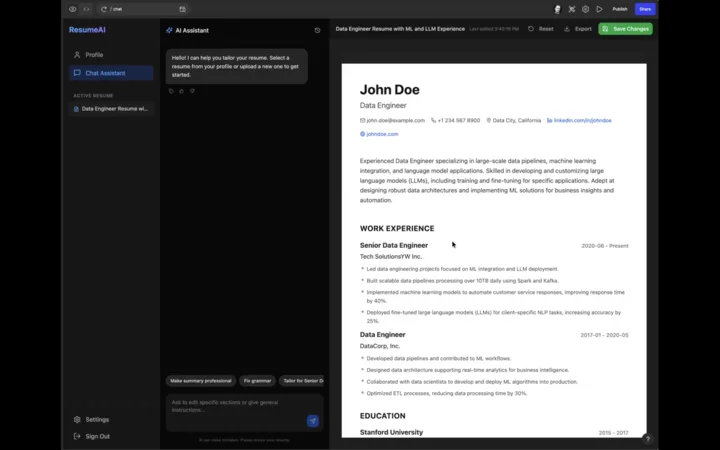
The goal: seamless handoff between AI suggestions and manual edits, with clear visual indicators of who changed what and when.